MEMBER STUDIO 1.3.0 · Keep the experience going after checkout
A member space worth coming back to.
Design your customer area, support your members and prepare campaigns from PrestaShop. A consistent brand identity and content your team can manage.
16 / 48sectors / presets
3layouts
25block types
Interactive demo · fictional data · no real orders or messages. Drafts and templates stay in this browser; local photos are temporary.
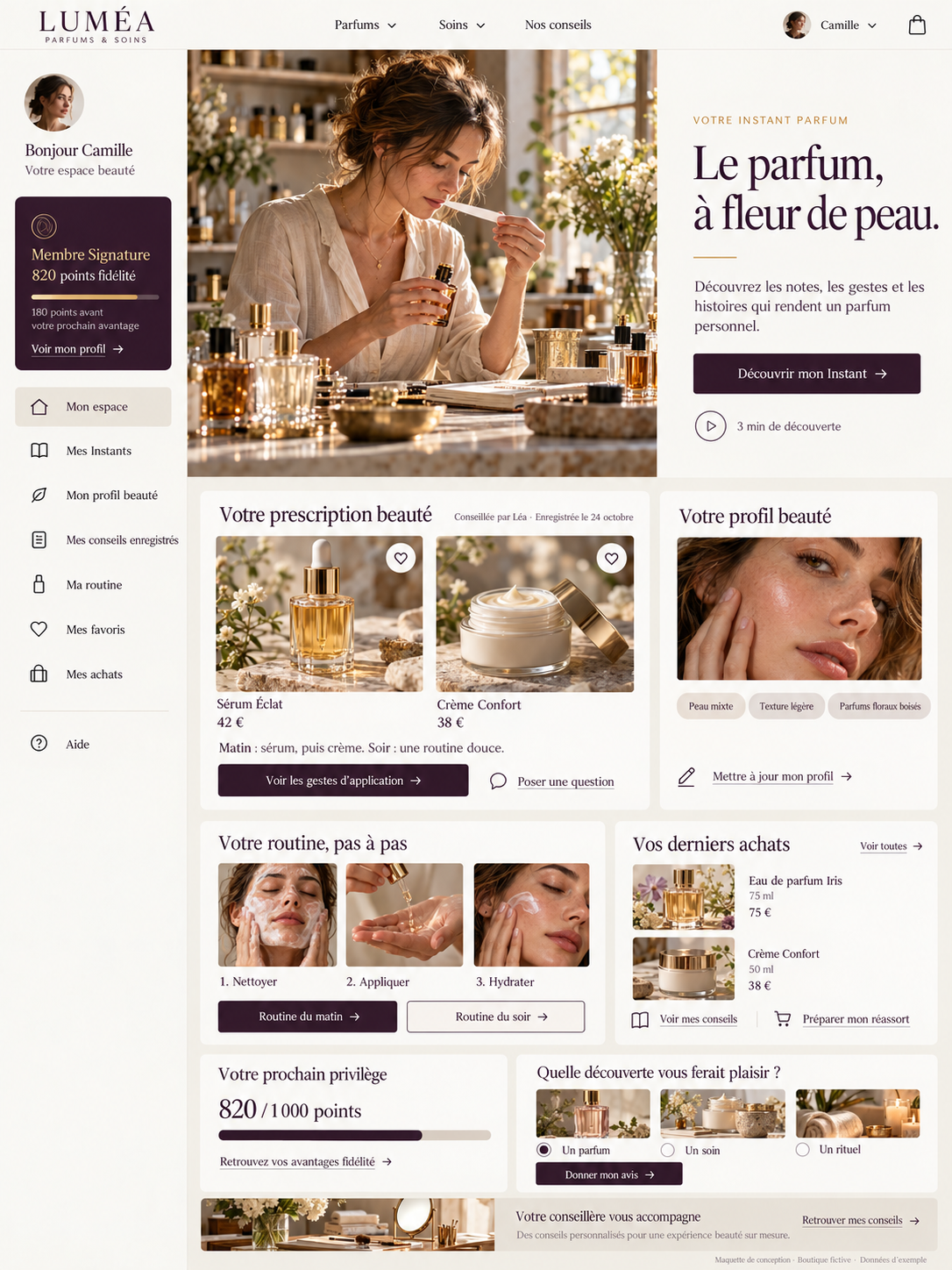
Three ways to welcome your members
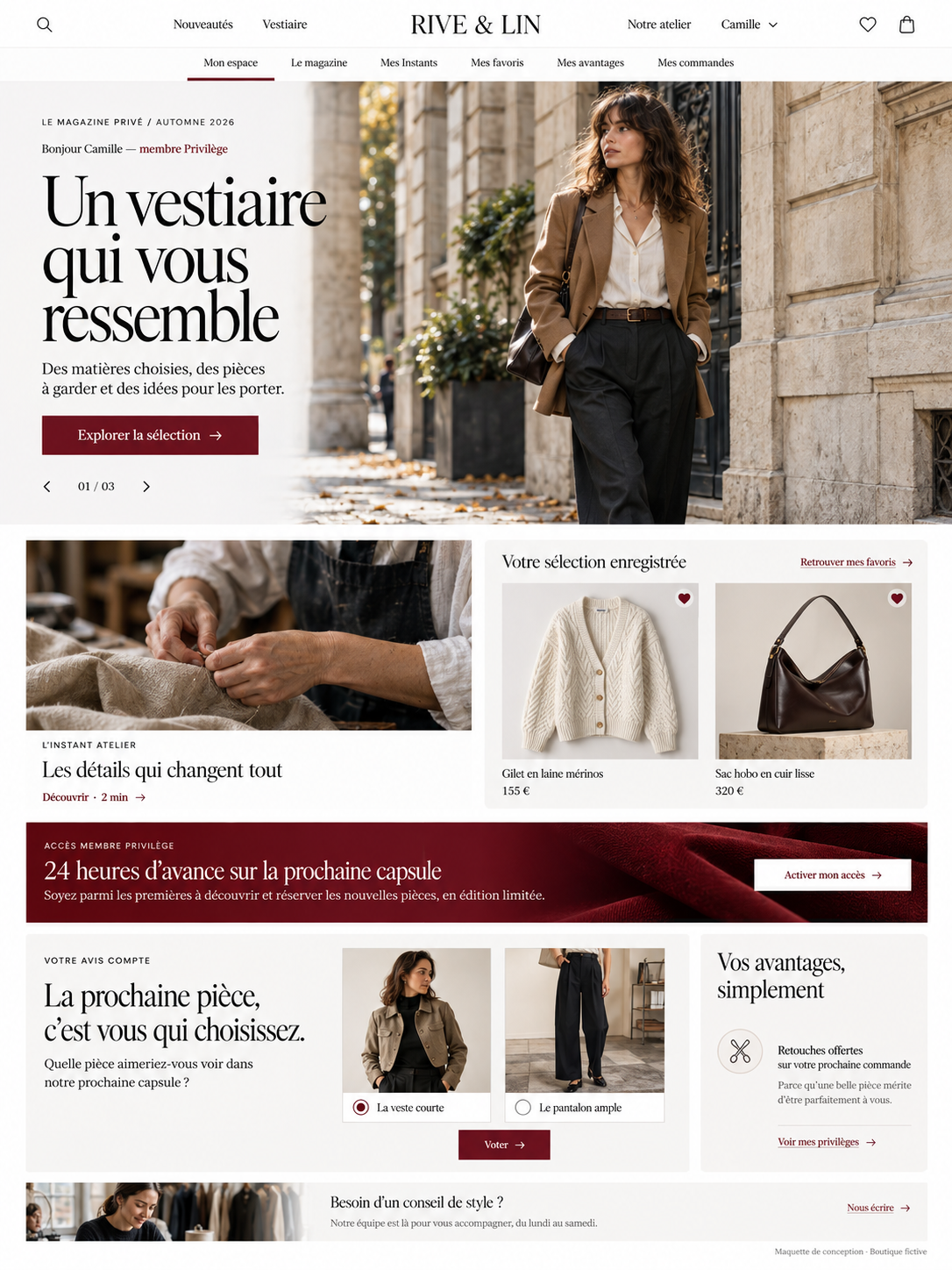
02 · RIVE & LIN
Magazine
Large images and editorial stories that express your brand.
Explore the demo →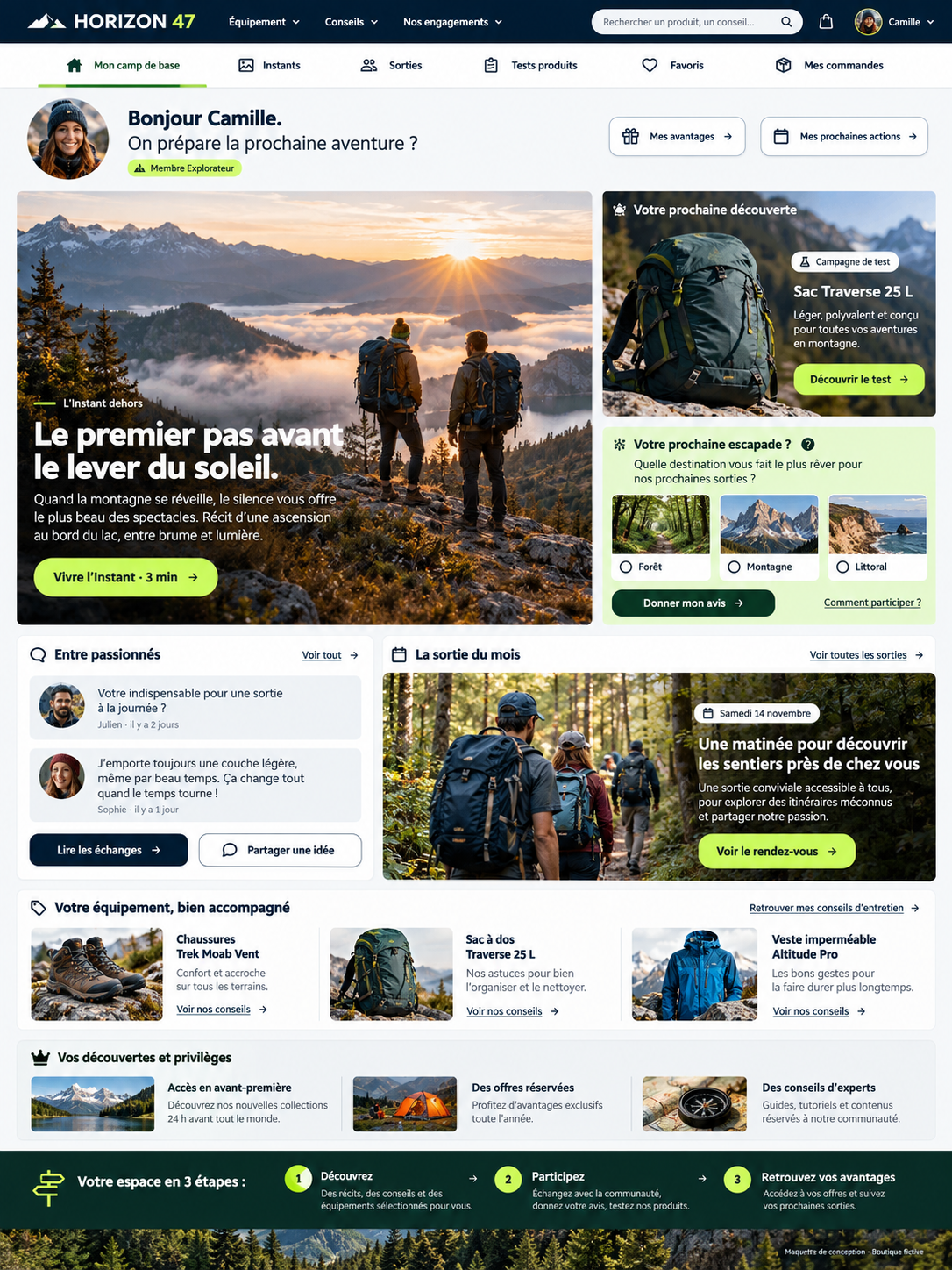
03 · HORIZON 47
Community
Put conversations and polls at the heart of your community.
Explore the demo →From the first discovery to the next visit
A Studio you control
25 block types, five compositions, custom blocks and reusable personal templates. Upload photos from your computer, arrange content and preview on mobile.
Clearly organised conversations
Polls, community discussions and private member messaging. Contextual shortcuts show where to create content, moderate and find enquiries sent to the shop.
Access managed by your team
Profiles, access rights and applications with statuses, custom stages, suggested next steps and an employee activity history.
Campaigns prepared in advance
Turn editorial blocks into newsletters, choose a template, prepare several campaigns and schedule delivery. Signup uses the native newsletter module.
A more personal relationship
Beauty profiles, saved advice, routines, favourites, points and rewards: enable the services that fit your business and connect your content.
A connected setup
Three layouts, interface and examples in five languages, with Universe Studio theme identity support. Member Studio also works without Admin Pilot.
16 sectors. 48 starting points.
Fragrance, beauty, fashion, home, sport… Choose a sector and one of its three presets, then adapt the copy, colours and blocks.

A clear setup path
Choose
Start with a layout and a preset.
Compose
Your photos, content, templates and destinations.
Connect
Polls, access rights, moderation and newsletter signup.
Publish
Save a draft, preview it, then publish your member area.
What you need to go live
- PrestaShop 9.x; checked environment: 9.1.5 / PHP 8.4.
- Campaign delivery requires working shop email settings and a server cron job.
- Visible services depend on member permissions, enabled features and published content.
- Signup uses ps_emailsubscription. Available placements depend on your theme’s hooks.
Before you start
Do I need Universe Studio or Admin Pilot?
No. Member Studio works on its own. With Universe Studio it can follow the theme identity; the 48 presets are starting points to personalise.
Where do messages arrive?
Shop enquiries go to native PrestaShop customer service. Private messaging is between members; moderation handles reported messages.
Can I create my own blocks?
Yes. Create a custom block, add a photo and a button, and save it as a personal template to reuse.
Does this demo show customer data?
No. All demo content is fictional. Once installed, the module uses your own shop data and access rights.
Interactive demo · fictional data · no real orders or messages. Drafts and templates stay in this browser; local photos are temporary.