

Supplier Order Manager
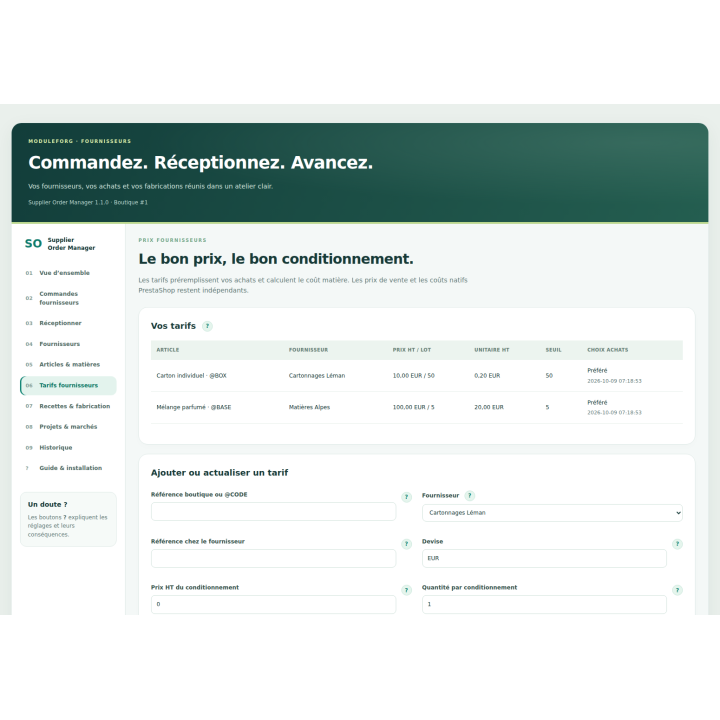
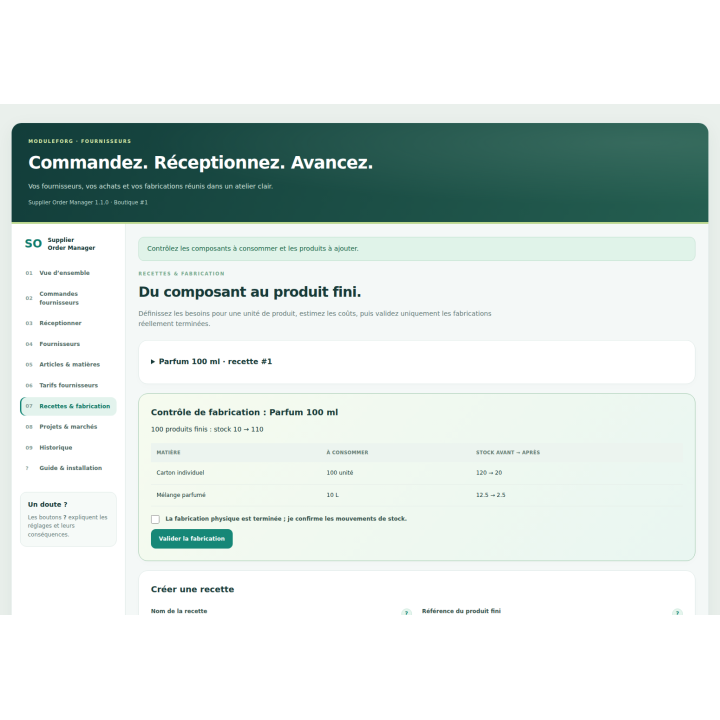
Generate purchase orders for multiple suppliers simultaneously from your production target. Enter 100 products: calculate components, sales aids and shipping consumables, deduct stock and confirmed deliveries, then prepare PDF orders grouped by supplier and currency. Review, approve and send each order. Component prices, receipts, production, payment tracking and native customer-service messaging. Version 1.2.2 · PrestaShop 9.1.x.
Supplier Order Manager
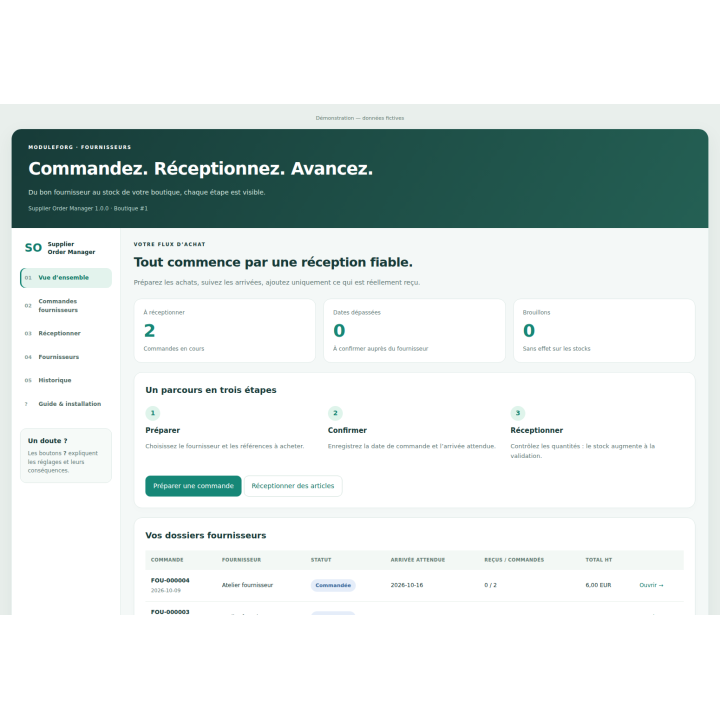
Supplier Order Manager connects production targets to required purchasing. Use compositions, stock and supplier prices to prepare requirements, then review one purchase order per supplier and currency before sending it.
What you can do
- Catalogue items, private materials, components, packaging and consumables.
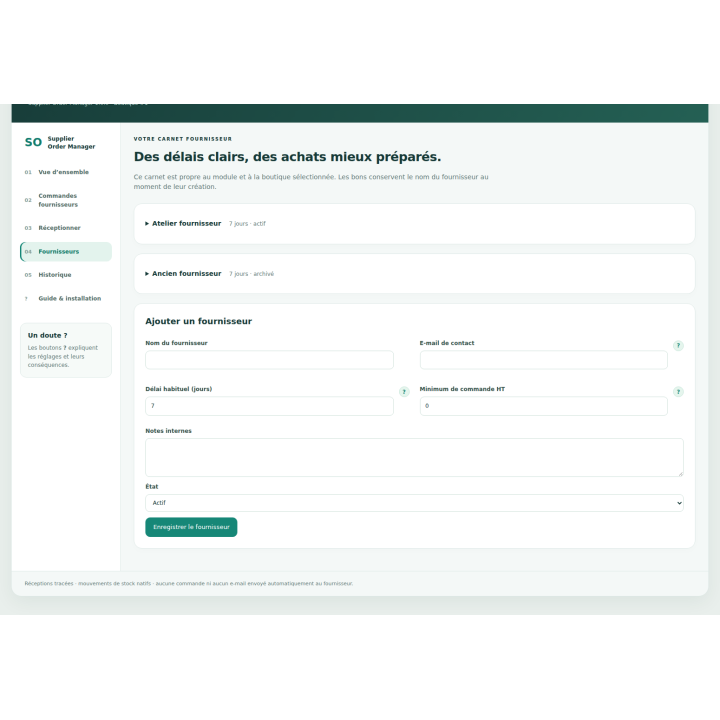
- Pack-based prices, minimum quantities, tiers and preferred suppliers.
- Net requirement calculations and grouped draft purchase orders.
- Partial receiving, validated production and stock-movement history.
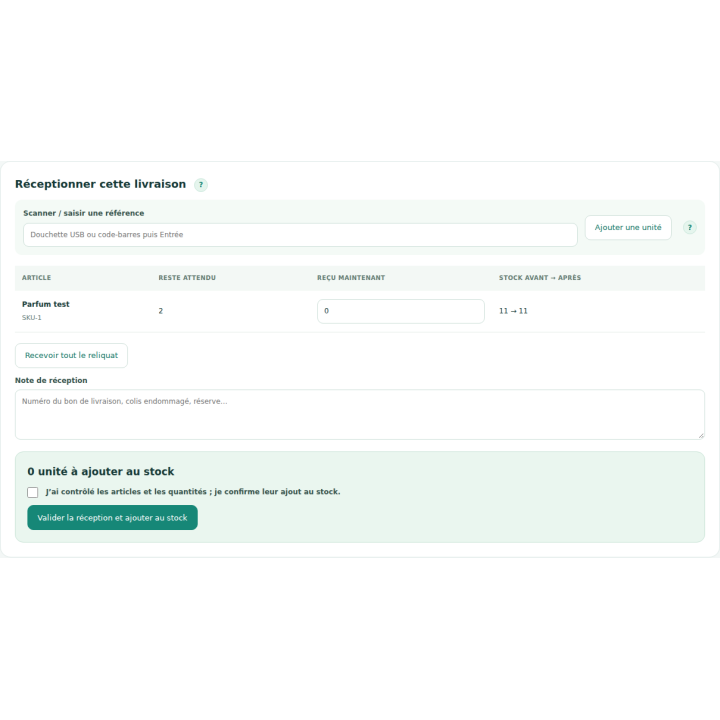
- Order PDFs, due-date tracking and supplier conversations in native customer service.
Prepare for launch
Install the archive through the module manager on a staging copy of your store. Configure the functions relevant to your business, check results with your own catalogue and languages, then enable the selected scope. Product-specific requirements are explained below.
Requirements and scope
PrestaShop 9.1.x, PHP 8.1+, mbstring and InnoDB. Each order requires approval before sending; configure SMTP/IMAP. PDFs are tax-exclusive purchase orders, not invoices. No material reservation, nested compositions, batch/expiry management or currency conversion. Admin Pilot and Dead Stock Rescue cover different tasks, without automatic migration.
Demos, manuals and other packages
-
ReferenceMF-MOD-SUPPLIER
-
In stock9999 Items
Your ZIP is available in your account after payment confirmation.
Theme: 1, 5 or 10 stores. Optional installation covers one store.
Support duration is stated on each product page. One-year extension sold separately.
Comments (0)
Your review appreciation cannot be sent
Report comment
Report sent
Your report cannot be sent