MODULEFORG · THE COMMERCE SUITE FOR PERFUME & COSMETICS
Your fragrance and beauty expertise.
A store that does it justice.
Create your online perfume and cosmetics store with PrestaShop: a distinctive visual identity, product pages that explain scents, and tools to guide discovery, organise sales and simplify daily operations.
Independent perfumeries · niche fragrance houses · beauty stores
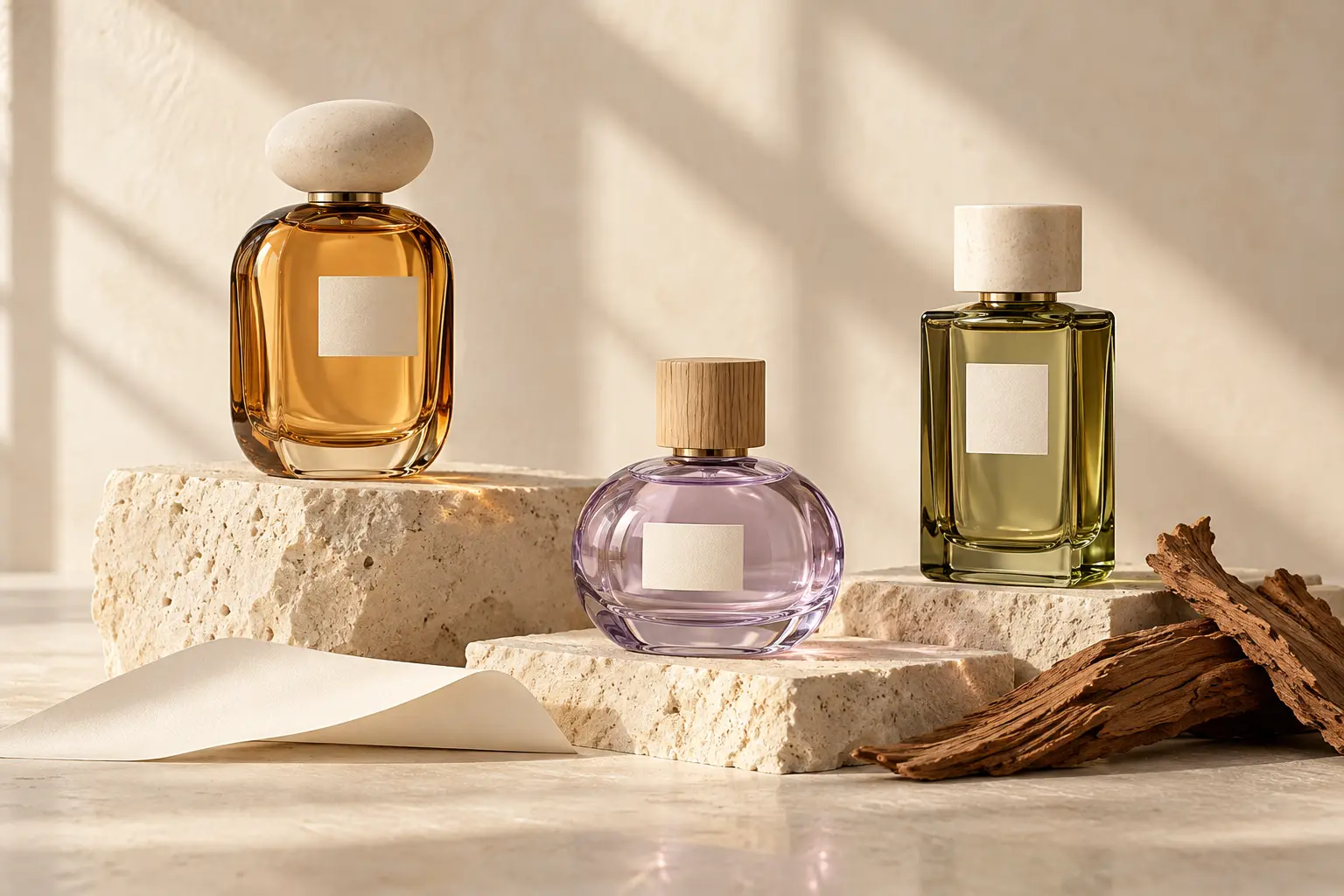
We know the difference between showing a bottle and helping someone choose a fragrance.
ModuleForg is led by Stéphane Bernet, whose background combines selective and niche fragrance retail, customer advice and store management. This experience shapes our approach: listen to an idea, explain an accord, allow a fragrance to develop and offer a choice that makes sense.
A customer might ask for a clean fragrance without a laundry effect, or a textured woody scent with presence that never overwhelms. An image and three adjectives cannot recreate that conversation. Online, clear information, descriptions of sensations and several paths to discovery help carry it forward.
Our tools bring your expertise into a PrestaShop interface. Your selection, testing and personal advice remain the signature of your store.
Three fragrance styles.
Make them your own.
Universe Studio Premium+ includes 48 starting styles for 16 trades. These three focus on perfume. Adjust colours, images, copy, layouts and effects to create your own theme.
01 · Niche fragrance house ↗The collection as a gallery.
An editorial approach to materials, accords and distinctive creations. A starting point when the house story and its olfactory vision guide discovery.
Explore Niche fragrance house ↗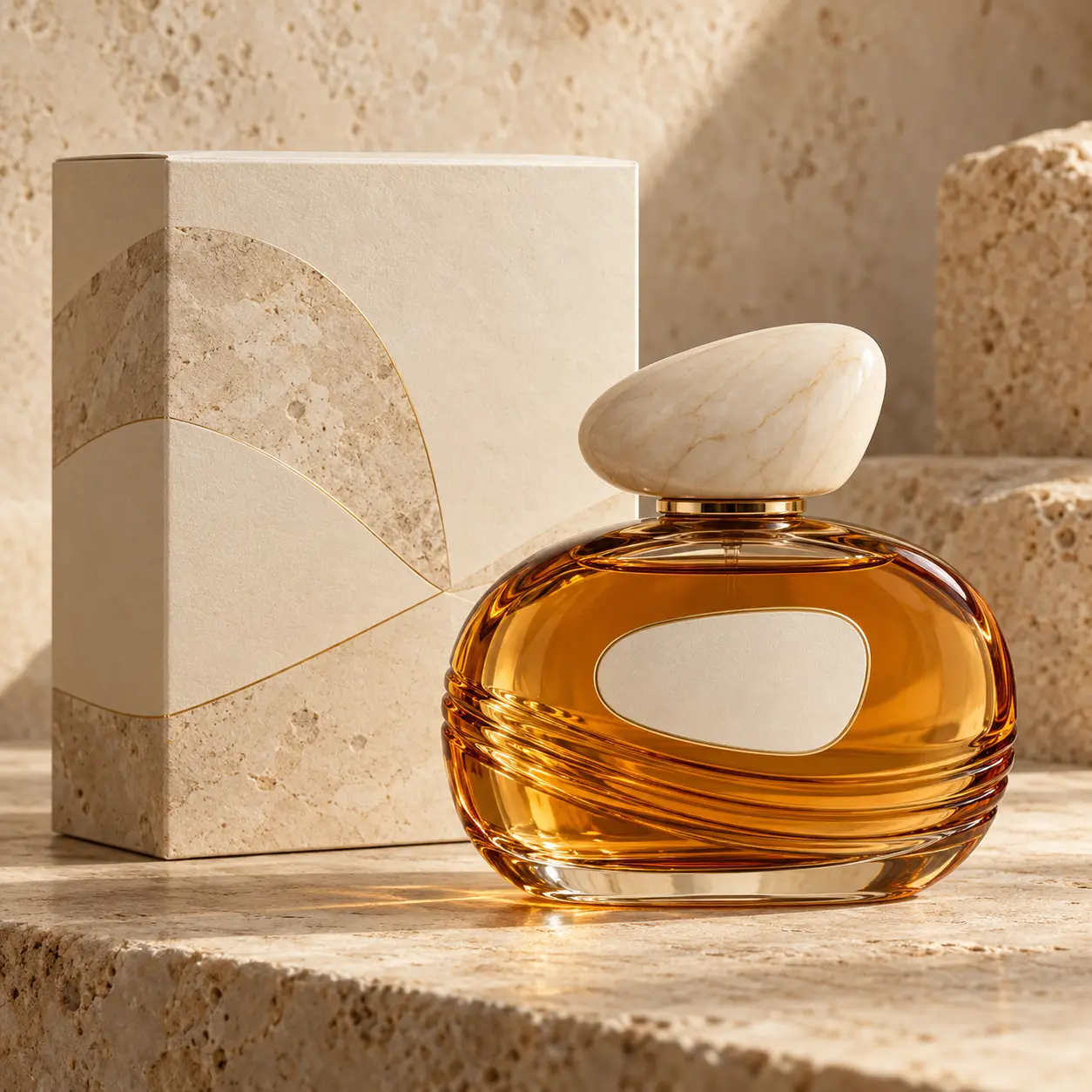 02 · Multi-brand perfumery ↗
Choice, guided by advice.
Organise houses, discoveries and curated selections. Help customers move between familiar signatures and less widely known fragrances.
Explore Multi-brand perfumery ↗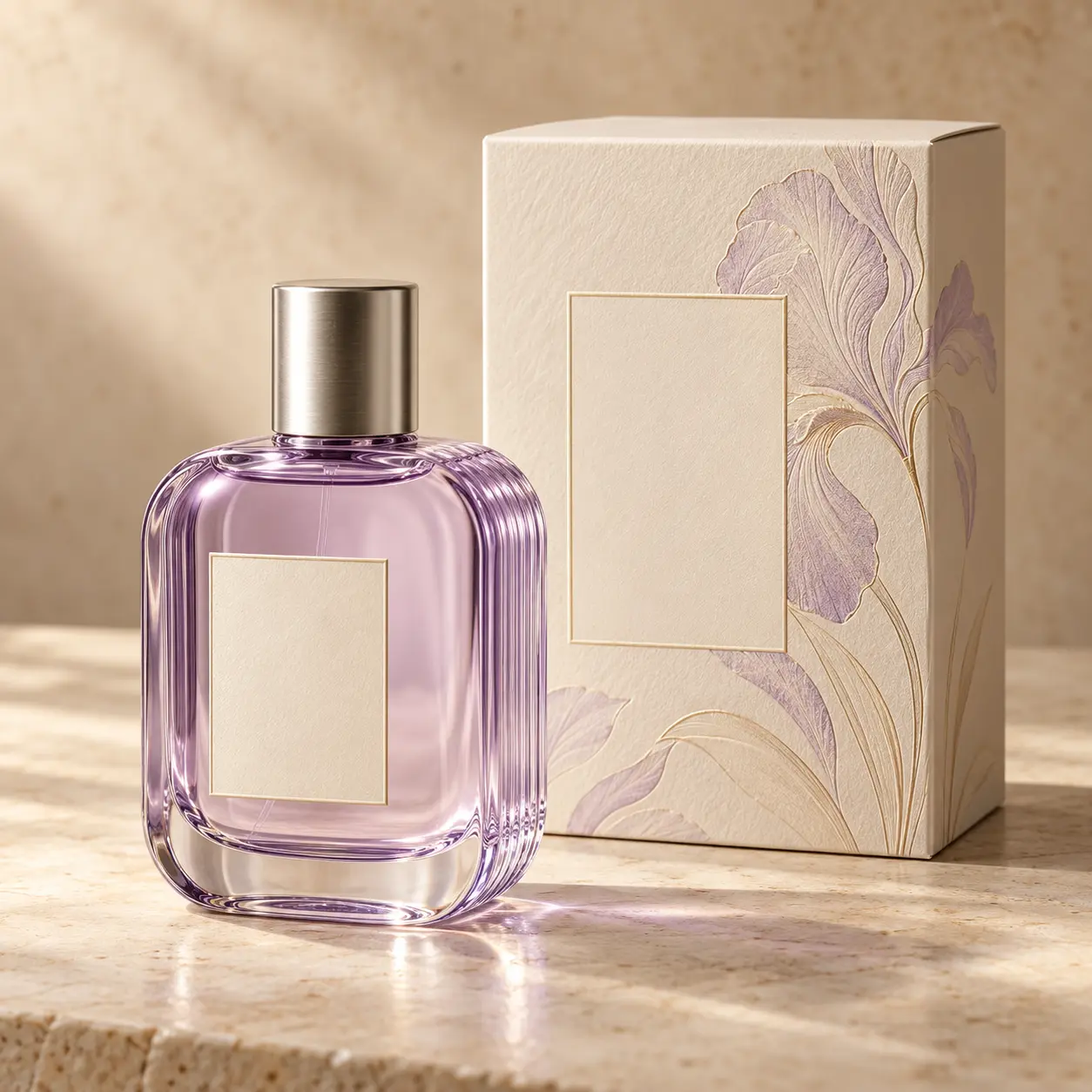 03 · Fragrance department store ↗
An extensive range that stays clear.
Highlight departments, sizes, gift sets and seasonal selections while keeping a broad assortment easy to navigate.
Explore Fragrance department store ↗Images from the Universe Studio collection. Open each demo to see the complete layout. Demo products and fragrance houses are fictional.
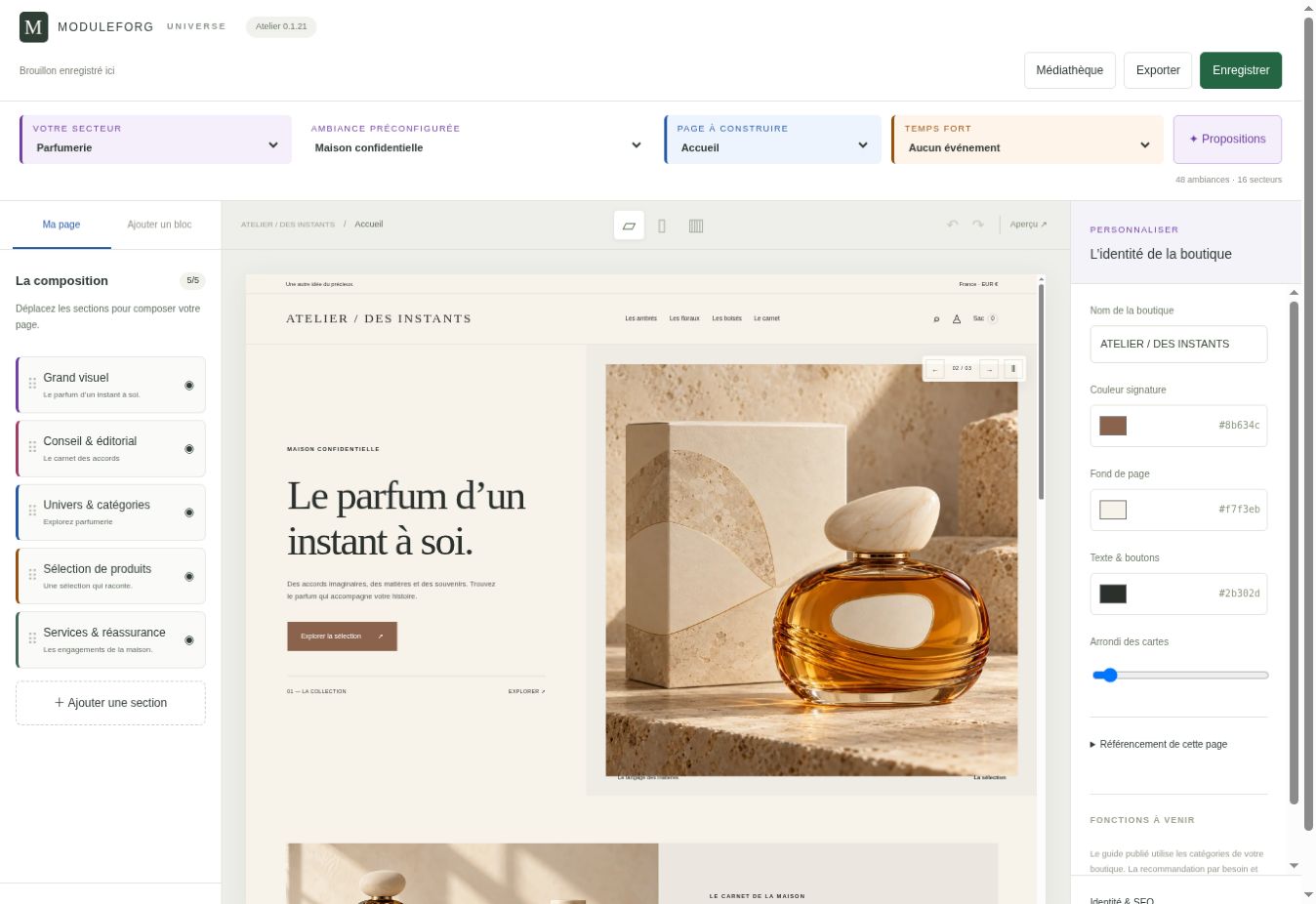
Keep your identity as your storefront evolves.
Choose proportions, the balance of images and text, buttons and effects. With 21 photo effects, 30 button styles and 10 button effects, refine your presentation around a quiet niche collection or an expressive launch. The 48 styles are starting points. In a multistore setup, each store can have its own identity, with licences covering the stores operated.
Explore Universe Studio Premium+ ↗Obsidian, Sillage, Maison Privée,
Parfum Studio: choose your expression.
Universe is a cross-sector theme builder. These specialist themes are separate offers with their own art direction and Studio. Choose the storefront and customer journey that suit your house.
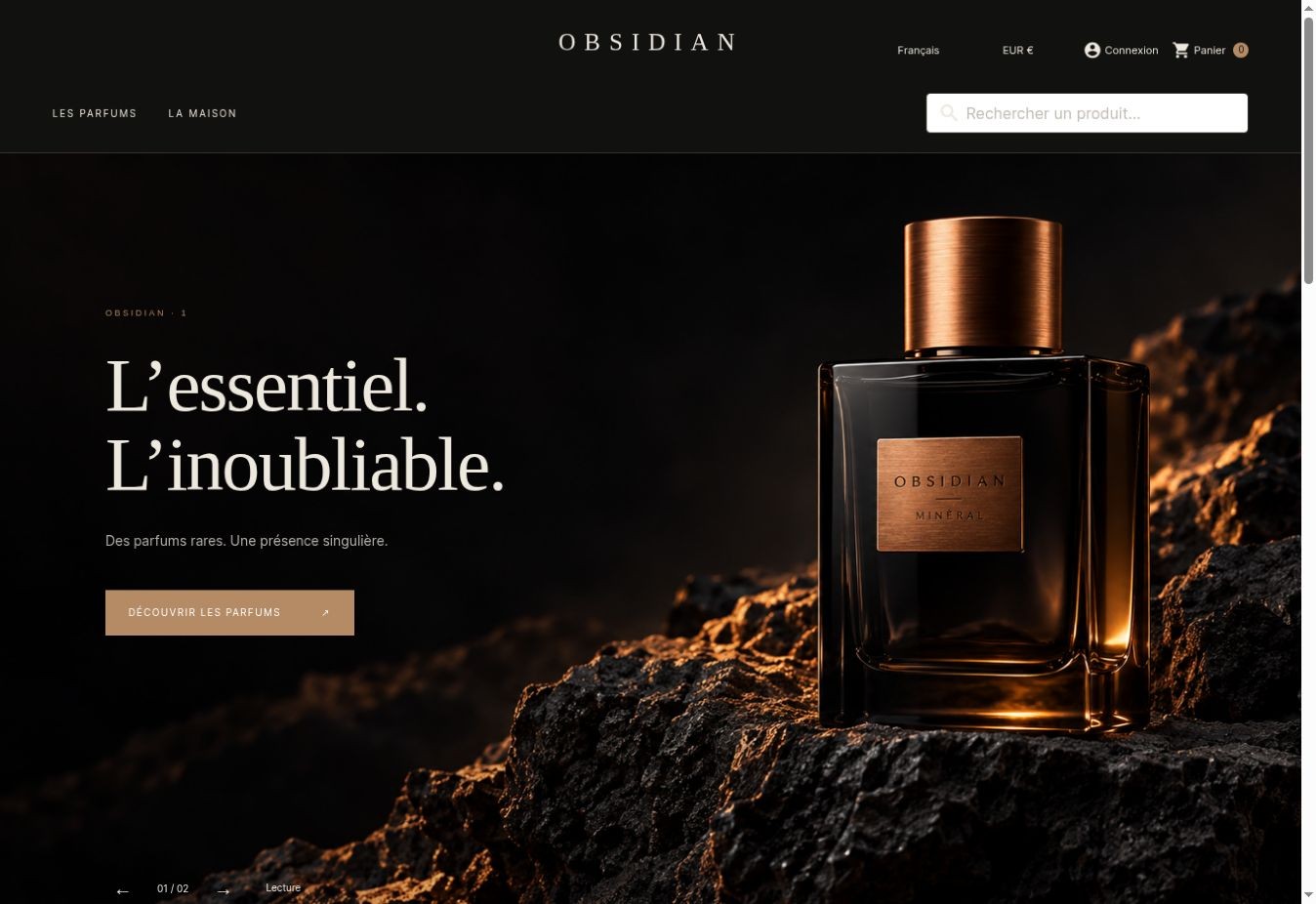
Obsidian · an intimate fragrance house.
A dark, minimal storefront for niche perfumery: immersive slider, collection and brand storytelling. Obsidian Studio lets you personalise the content and bring bottle, material and story together.
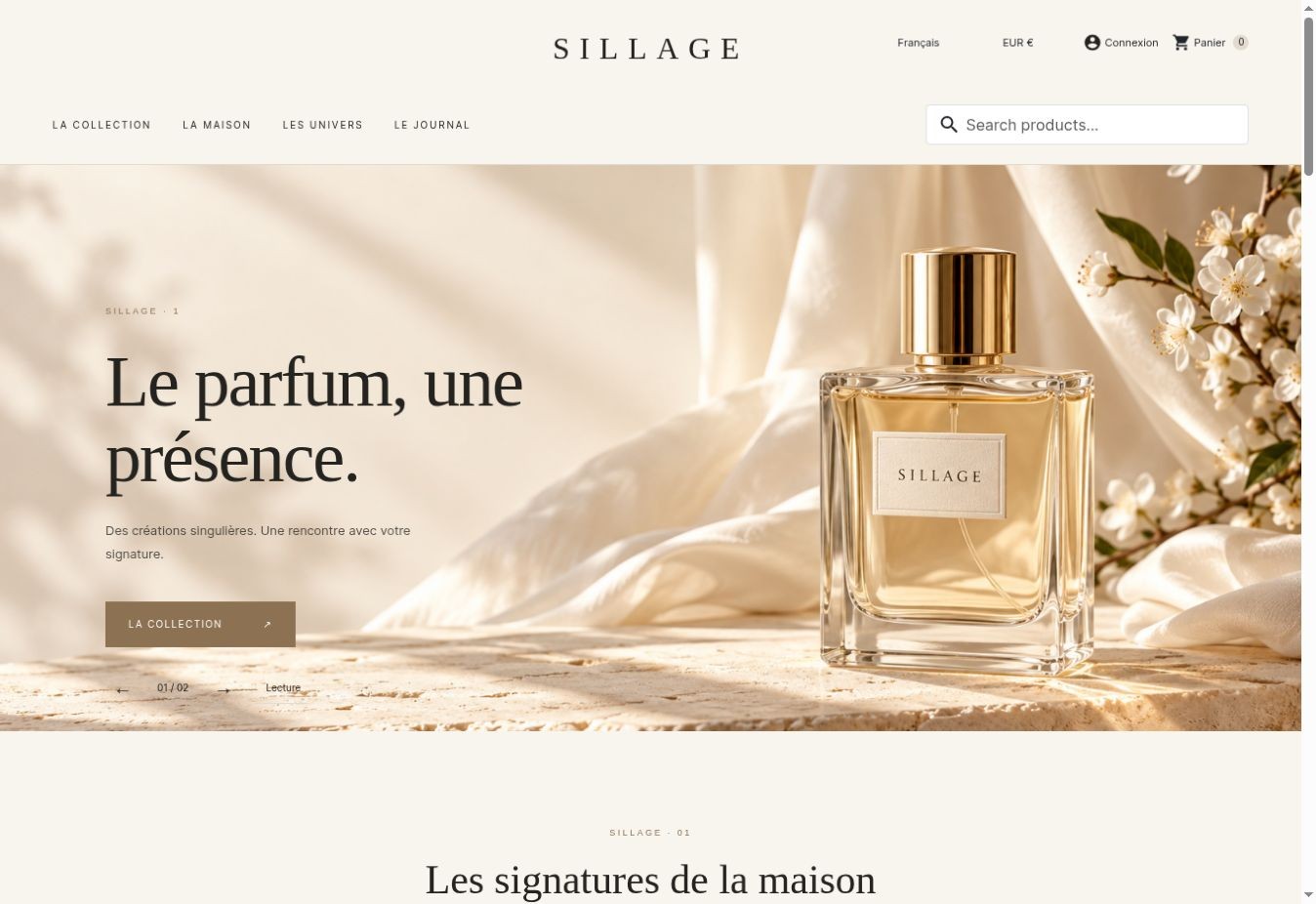
Sillage · light and curation.
Ivory, champagne, generous imagery and elegant typography create a luminous atmosphere around an immersive slider and curated selections. Adjust identity and content in its administration Studio.
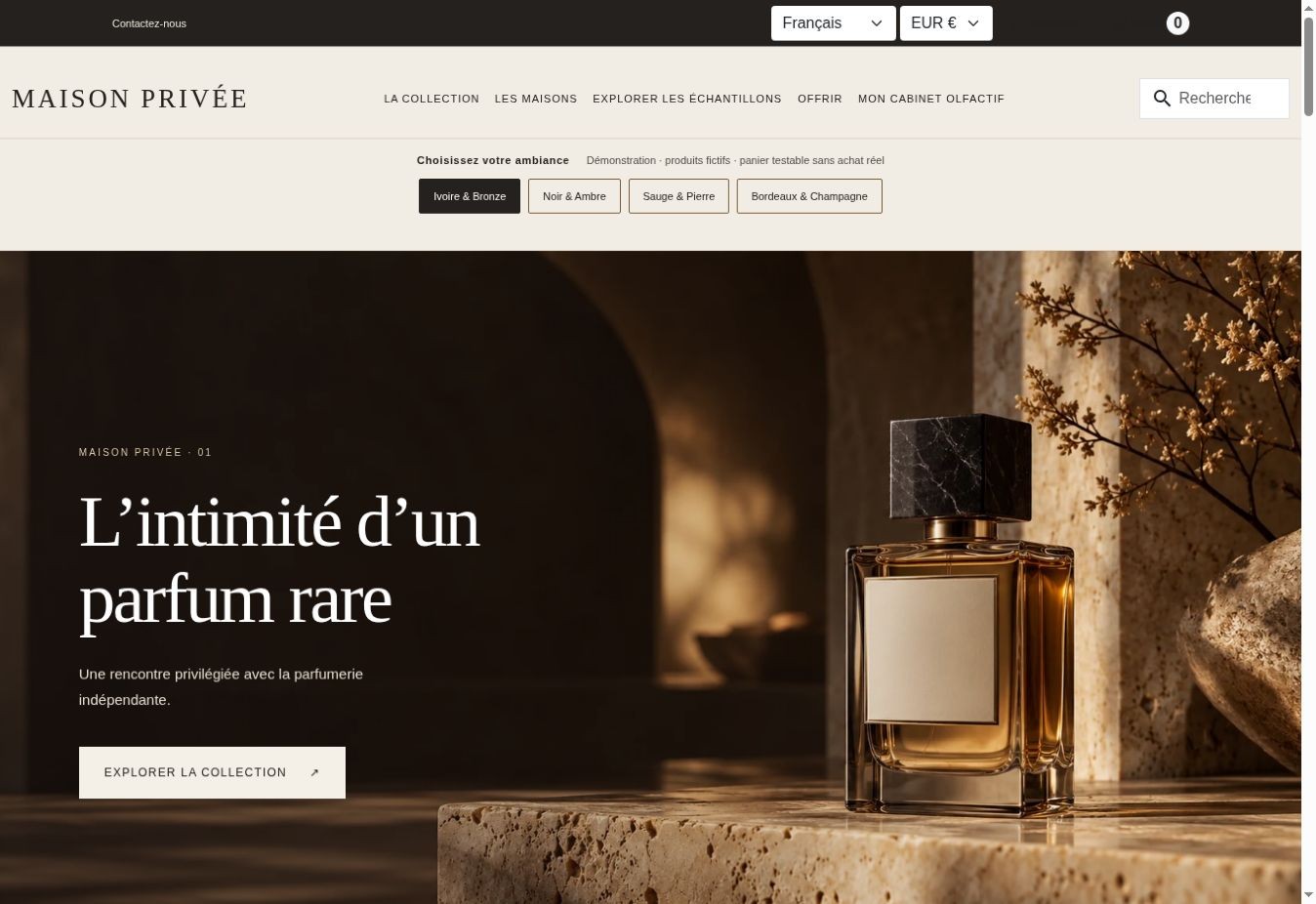
Maison Privée · the art of discovery.
An editorial homepage and four styles for niche perfumery, with discovery and gifting journeys linked to the native PrestaShop catalogue.
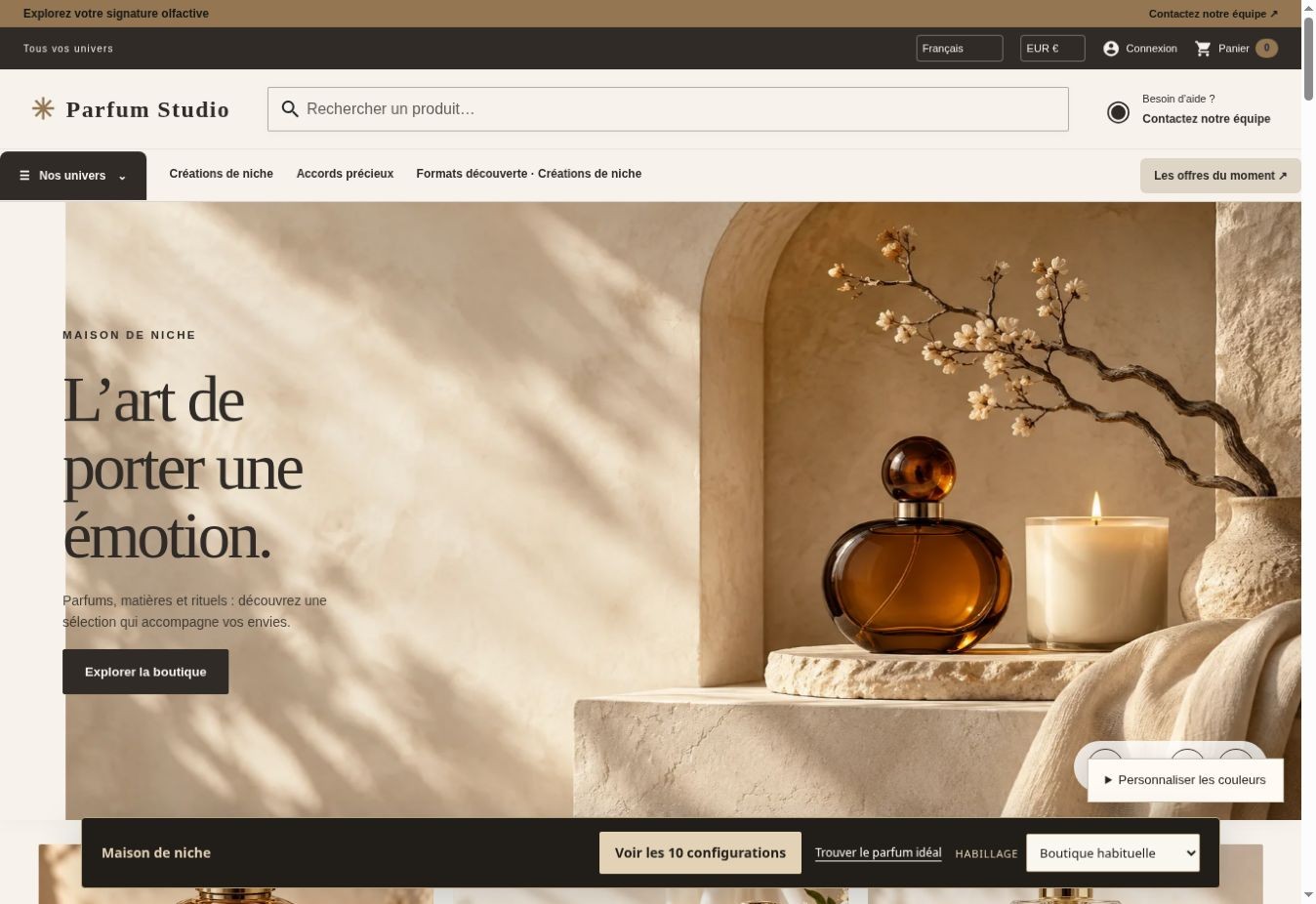
Parfum Studio · from preferences to selection.
Ten layouts for fragrance, candles, home scents and gifts. Its fragrance advisor uses the product profiles you enter to suggest selections based on stated preferences, with comparison, a customer notebook and a configurable sampling journey.
Each theme is a separate offer. Included layouts and features depend on its product page; licences must cover your stores.
Your cosmetics deserve
an expert setting too.
Make needs, textures and uses easy to understand. Help each customer identify a product, understand its place in a routine and return to the advice that supports its use.
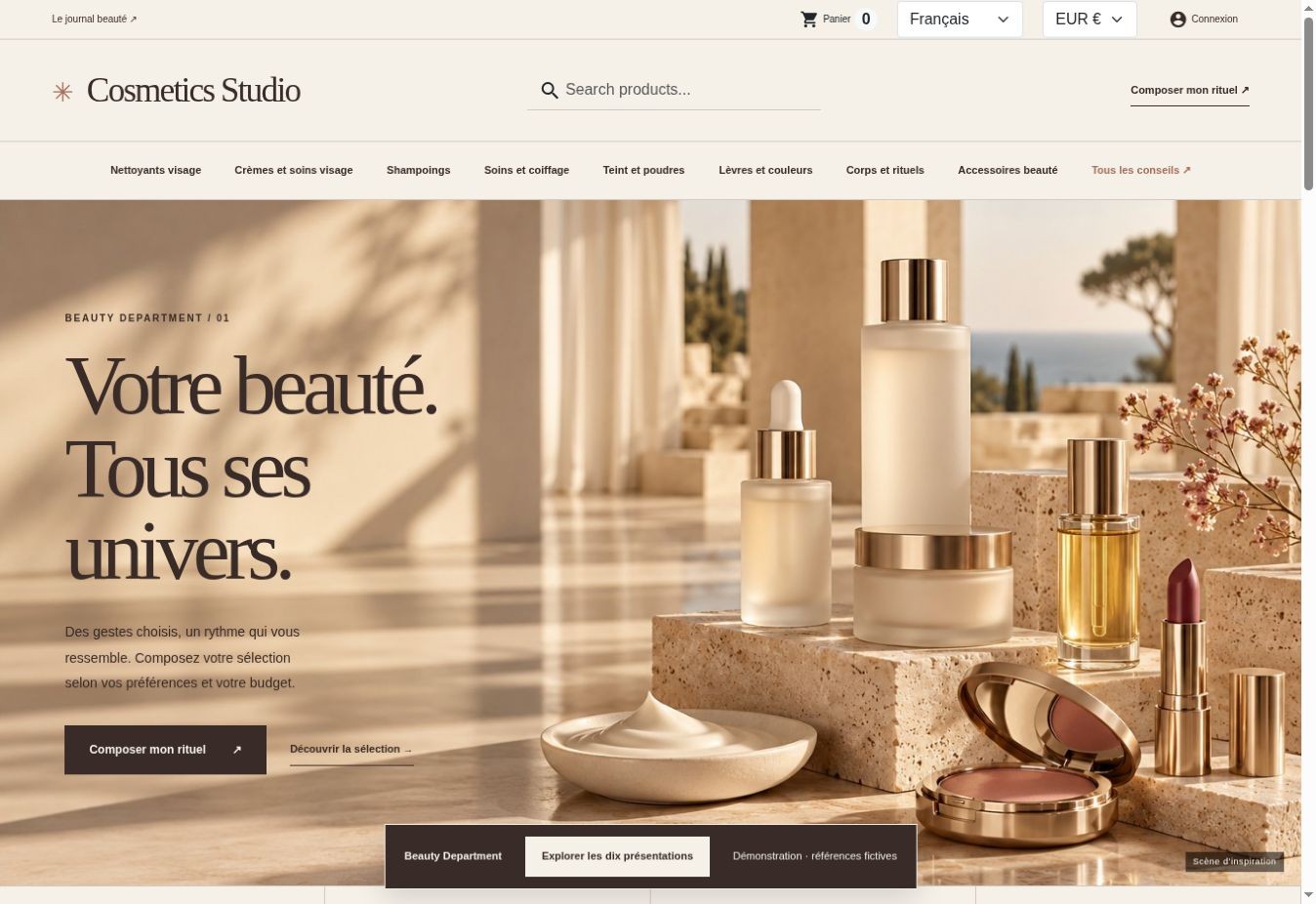
Cosmetics Studio Premium
Cosmetics Studio Premium combines a customisable theme, a routine advisor and a beauty journal. Link your categories and complete the product profiles in the Studio: selections then use that catalogue, preferences and budget. Prices, stock and cart actions remain native PrestaShop.
Six beauty guides editable in each language and product-page advice extend customer support. Recommendations help customers choose using your product data; they do not provide a diagnosis.
Explore Cosmetics Studio Premium ↗Ten directions for your business.
Beauty Department · Maison de Soin · Dermo Studio · Botanique Bio · Makeup Atelier · Color Pop · Hair Expertise · Curl Ritual · Spa & Hammam · Rituels du Monde
These are presentation styles. Product properties, benefits and certifications remain those documented by your brands.
Three beauty styles in Universe Studio.
Expert skincare institute
Put advice, rituals and skincare selections first.
Explore Expert skincare institute ↗Multi-brand beauty store
Organise brands across skincare, makeup and new discoveries.
Explore Multi-brand beauty store ↗Beauty superstore
Structure departments, selections and promotional occasions within an extensive range.
Explore Beauty superstore ↗Useful product attributes.
A catalogue your customers can understand.
Admin Pilot: fragrance and candle attributes.
The trade library covers fragrance family, top, heart and base notes, concentration and intensity. Create or reuse native PrestaShop features, assign them to products, preview changes and use the complementary mode to preserve existing values. Follow the vocabulary and data supplied by the fragrance house.
Cosmetics and skincare attributes.
Structure skin and hair types, application area, needs, declared benefits, active ingredients, texture, application method, frequency, volume, period after opening and INCI. Document each value from brand information. Native catalogue filters depend on the faceted navigation installed and configured in your store.
Selling fragrance online:
give customers meaningful reference points.
Describe the family and the fragrance character.
Distinguish woody, floral, fresh or amber families from individual facets. Explain texture and sensations in everyday language, supported by the house’s information and identified testing. Avoid stacking generic adjectives.
Explain the olfactory pyramid without confusing it with ingredients.
Top, heart and base notes describe how a scent is presented and perceived over time. A leather or fig note describes an olfactory effect and does not prove that material is in the formula. Separate notes and accords from the ingredient list. Do not invent a pyramid when a house publishes only key notes.
Separate concentration, lasting power and scent trail.
Eau de toilette, eau de parfum and extrait may differ in balance even under the same name. Use the exact product designation; quote a concentration only when documented. Lasting power concerns persistence, sillage the trail left behind, and projection diffusion around the wearer. Avoid universal promises such as twelve-hour wear: skin, application and conditions affect perception.
Start a conversation with preferences.
Dry vanilla is different from a pastry effect; freshness does not always mean citrus. Ask which fragrances the customer already enjoys, what sensations they avoid, how much presence they want, and whether the purchase is for daily wear, a gift or discovery. These questions guide your content; they are not an automatic diagnosis supplied by the theme.
Make sampling and format choices clear.
For samples and discovery sets, explain references, volumes, purchase conditions and any associated benefit. Encourage testing on skin and allowing the fragrance to develop beyond the blotter impression. Distinguish volume, concentration and packaging; describe refillability only when the brand confirms it, including the correct refill.
Give useful application and storage advice.
Use the house’s instructions for the specific product. Spray quantities, surfaces and techniques depend on its use; check brand precautions and fabric suitability. Explain protection from heat and light, correct closing and product directions. Present fragrance layering as an experiment with an expected impression, never as universal compatibility.
“A luminous woody scent with texture.”
Fictional editorial example: a zesty opening leads to a spicy heart, with a dry cedar and soft musk impression in the base. Before publication, add the actual creation and brand, exact designation and volume, documented notes, authorised photographs, ingredients, precautions, price and availability.
Powdery iris does not automatically mean a gentle fragrance; amber does not mean natural amber resin. Precise wording helps avoid expectations that testing will not confirm. Universe lays out your content; each product’s scent information still requires writing and verification.
Listen to a preference.
Explain the selection.
Parfum Studio: a selection based on taste.
The questionnaire uses the product profiles entered in its Studio. It considers preferences and excludes notes marked as avoided. Comparison and the customer notebook continue discovery. For someone who likes woods and avoids vanilla, the relevant profiles must be available and documented in your assortment. Keep families, notes and accords consistent with Admin Pilot; no automatic import between the tools is claimed. A configurable sampling programme may associate a credit with the trial under your chosen conditions.
Cosmetics Studio: guide a routine.
Its routine advisor uses your categories and product profiles, preferences and budget. Product-page advice and beauty guides explain uses and each step’s role. Describe needs, textures, application areas and brand directions. Recommendations support a choice and do not constitute a diagnosis.
Return to preferences and your advisor’s guidance.
LUMÉA Client Studio brings together beauty profiles, fragrance preferences, saved advisor recommendations and morning/evening routines in a customisable private space.
Explore LUMÉA ↗Structure your assortment
like a helpful consultation.
Several useful ways into the catalogue.
Organise brands, families, preferences, formats and occasions. Returning customers may seek a reference; new enthusiasts need guidance. Admin Pilot manages attributes; Parfum Studio has its own advisor profiles. Use consistent terminology and configure catalogue filters through your faceted navigation.
Photography that informs too.
Show the bottle, its scale, sprayer and actual packaging. Lifestyle images tell a story; product views clarify what is sold. List each item and volume in gift sets. For complementary skincare, explain the use and brand advice without deriving an efficacy promise from an ingredient alone.
Commercial occasions
with a clear purpose.
Universe offers 27 occasions, 81 visual directions and five decorative strip variants per event. Your selection and message give them meaning.
Make gifting easier.
Curate by budget, explain gift-set contents and help customers choose without knowing someone’s usual scent. State actual services and delivery times, using available products.
Speak about taste, not clichés.
Offer signatures by sensation and preference. A shared selection may be more useful than a systematic division into fragrances for her and for him.
Make the gesture personal.
Start from an enjoyed fragrance, explain another facet of its family or suggest a guided discovery. Let advice lead the selection.
Give customers a reason to return.
Present the creation’s vision and place in the collection. Reserve content or selections for members according to configured access and commercial rules.
The ten commercial mechanics include flash sales, bundles, threshold gifts and limited series. Choose according to your positioning and margin. Visual presentation alone does not create a benefit: prices, discounts, gifts and conditions require configuration with compatible store tools and rules.
The storefront, operations
and customer relationship.
Universe Studio Premium+
Present collections, materials, curated ranges and advice. Three fragrance styles among 48 starting models, editable compositions, colours, images, copy and effects; adapt events and promotional displays to your sales rules.
View product details ↗Admin Pilot
Prepare replenishment and supplier orders from an approved plan; track receipts and discrepancies. Manage suppliers, cost prices and components after configuring mappings. Work with trade attributes, bulk product information and SEO, catalogue imports/exports, orders, preparation, customer service, stock and accounting exports. PrestaShop, Shopify and WooCommerce connections and optional OpenAI assistance require configuration. Catalogue stock copying is occasional; shared-stock exchanges target two PrestaShop 9 stores. AI suggestions are not applied automatically.
View product details ↗Member Studio
Member Studio offers private spaces, reserved content, conversations and profiles with different access rights. Pages, copy, images, colours and layouts are customisable.
View product details ↗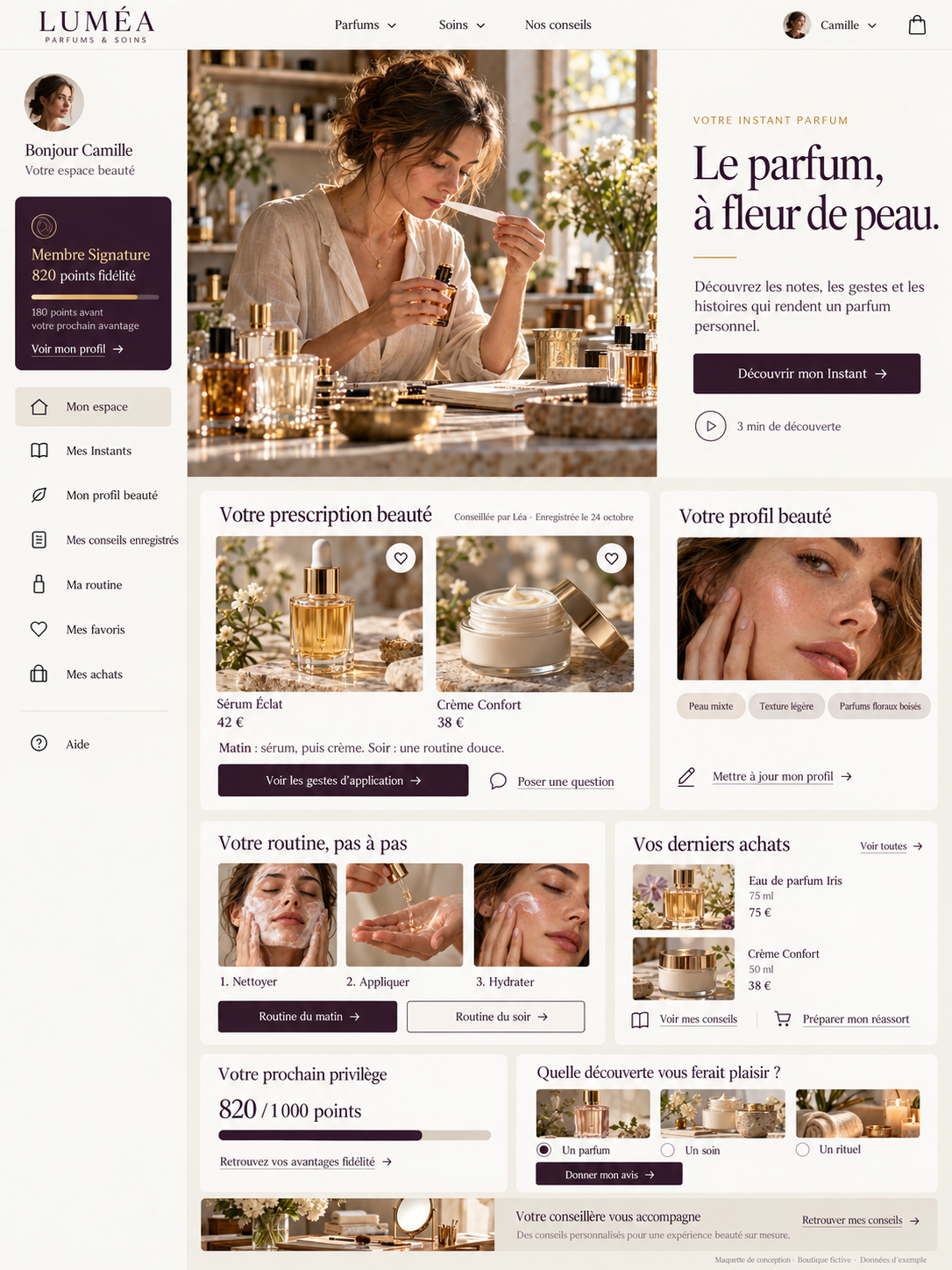
Return to preferences and your advisor’s guidance.
LUMÉA Client Studio brings together beauty profiles, fragrance preferences, saved advisor recommendations and morning/evening routines in a customisable private space.
Explore LUMÉA ↗Your expertise deserves
impeccable information.
- Agree on clear terminology for families, facets, concentrations and formats.
- Document products using brand data, authorised photographs, packaging contents and product-specific advice.
- Prepare suppliers, reference mappings, quantities and costs before replenishment.
- Plan realistic occasions around stock, margin, delivery times and editorial resources.
- Choose theme and module licences covering the stores operated; customising a style does not grant additional deployment rights.
Questions about your online perfumery.
Is Universe only for niche houses?
No. The three fragrance styles cover niche houses, multi-brand perfumeries and department stores. They are customisable starting points; your assortment and editorial approach determine the choice.
Are olfactory descriptions generated automatically?
No. The theme presents content you supply. Notes, accords, concentrations, ingredients and advice must reflect each creation’s documentation. Optional Admin Pilot AI assistance does not replace your professional validation.
Can customers filter by fragrance family or note?
Admin Pilot provides product attributes for families, notes and intensity. Catalogue filtering depends on your configured faceted navigation. Parfum Studio also offers its own advisor based on product profiles and stated preferences.
How can my store stand out from other users?
Personalise colours, images, copy, proportions, layouts and effects. Models speed up the start; your art direction, assortment and advice create the store’s identity.
Are beauty profiles, routines and loyalty points already included?
Beauty profiles, advice, routines, favourites and the loyalty programme can be configured in Member Studio. The merchant enables the required features and sets benefit conditions. See the product page for the offer’s scope.
Can the suite serve several perfumeries?
Each store may have its own visual identity. Theme and module licences must cover the stores operated according to the chosen offer.
Bring your advice
into the online experience.
Start with a fragrance style, then build the suite around your business, team and customers.
Professional content: ModuleForg · Stéphane Bernet. Based on fragrance advice, retail sales and store management. Editorial examples and demo products are fictional. Adapt operational guidance to your catalogue and brand data.
Further reading: application and storage advice — CHANEL; concentrations and variations in accords — CHANEL; olfactory pyramid and composition example — Fragonard. These editorial references do not imply a partnership.